
How to Take Notes During Coaching in Balance4Coaches?
You can take notes with Balance4Coaches during a coaching session. You can also choose to share a note with your client
Related help
- How to Add a Client to Balance4Coaches?
- How to Activate Your Client’s Dashboard in Balance4Coaches?
- How to Set Goals for a Client in Balance4Coaches?
- How to Send a Message to a Client in Balance4Coaches?
Your coaching dashboard
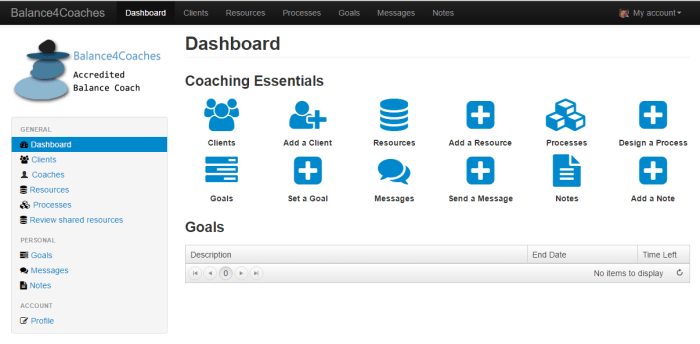
Go to ‘Clients’ by clicking this icon

This window with a table of all your clients will open
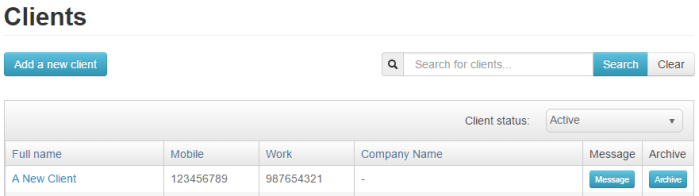
Click on the name of the client you want to open
Your client’s profile will open
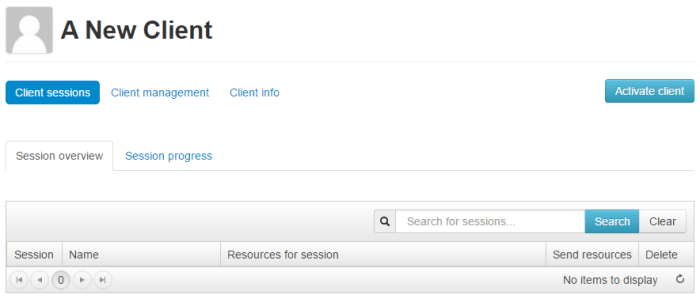
Click on the words ‘Client management’

Click on the word ‘Notes’

Click on the button ‘Create a note for (Client’s Name)’

A window will open where you can take your note
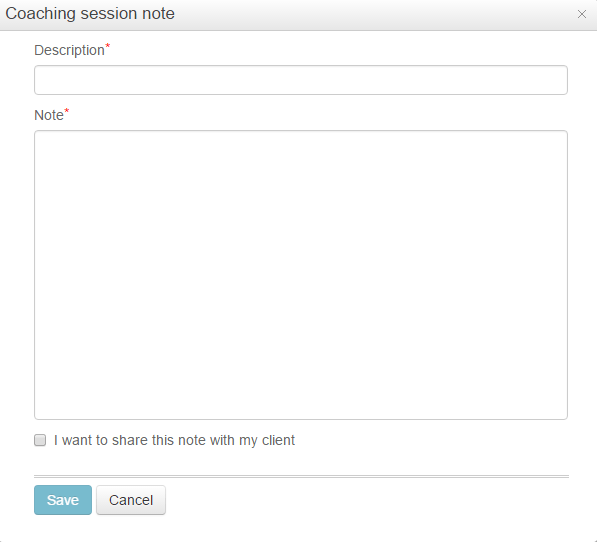
You can choose to share a note with a client by clicking the ‘I want to share this note with my client’
Click ‘Save’
 dustconsulting.co.za